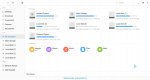
A simple Darkmatter Apps collection to save your data & time from downloading necessary apps again & again.
This package includes :-
[ Auto Install ]
#1 Aurora Store 3.2.1 (updated)
#2 Youtube Vanced [non rooted] (enable force resolution in video settings for best video quality)
#3 GLTools 4.01 [ fixed install error ]
#4 link2sd 4.3.4
#5 LSpeed Beta 2.1.4 (latest stable version)
#6 GFX+ Tool pro 0.18.1 (fixed update error)
#7 Terminal Emulator
#8 ViperFX Latest 2.7.1 (Drivers pre-installed just reboot once when it gives driver install error)
#9 Perfomance Tweaker
#10 Wallpaper app (fixed low resolution issue)
#11 New Cursor & Boot animation pack
#12 New 10 Minimalist Wallpaper added (Hold Home screen to change you desktop wallpaper then scroll & slide to adjust)
#12 ADV Screen Recorder
#13 Firefox Browser (No more crash issues)
[ Advance Features ]
New advance feature options lets you manually install app you want & features you want to install.
#1 Manual Apps Installation
#2 New Darkmatter Theme Pack with boot animation + Cursor & 10 Minimal wallpapers.
#3 Update Ad Blocking hosts [ Not included in auto install ]
#4 Disabled Phoenix OS signature verification ( by HMTheBoy154)
#5 Install Shade Launcher (updated) [ Not included in auto install ]
#6 GamerHelper Beta (from PhoenixOne Console) [ Not included in auto install ]
Whats signature verification?
The android system always checks for different signatures for system apps and if they don't match the app doesn't get installed. So if you try to make changes to Android Manifest and sign it it will not work until you sign the whole OS with the same signature.
it's a required features for any custom modded apps to run on android os and it's also safe to use if you know what you are doing.
[ Some Screenshots ]


[Download Links]
click the green button on the Top right
This package includes :-
[ Auto Install ]
#1 Aurora Store 3.2.1 (updated)
#2 Youtube Vanced [non rooted] (enable force resolution in video settings for best video quality)
#3 GLTools 4.01 [ fixed install error ]
#4 link2sd 4.3.4
#5 LSpeed Beta 2.1.4 (latest stable version)
#6 GFX+ Tool pro 0.18.1 (fixed update error)
#7 Terminal Emulator
#8 ViperFX Latest 2.7.1 (Drivers pre-installed just reboot once when it gives driver install error)
#9 Perfomance Tweaker
#10 Wallpaper app (fixed low resolution issue)
#11 New Cursor & Boot animation pack
#12 New 10 Minimalist Wallpaper added (Hold Home screen to change you desktop wallpaper then scroll & slide to adjust)
#12 ADV Screen Recorder
#13 Firefox Browser (No more crash issues)
[ Advance Features ]
New advance feature options lets you manually install app you want & features you want to install.
#1 Manual Apps Installation
#2 New Darkmatter Theme Pack with boot animation + Cursor & 10 Minimal wallpapers.
#3 Update Ad Blocking hosts [ Not included in auto install ]
#4 Disabled Phoenix OS signature verification ( by HMTheBoy154)
#5 Install Shade Launcher (updated) [ Not included in auto install ]
#6 GamerHelper Beta (from PhoenixOne Console) [ Not included in auto install ]
Whats signature verification?
The android system always checks for different signatures for system apps and if they don't match the app doesn't get installed. So if you try to make changes to Android Manifest and sign it it will not work until you sign the whole OS with the same signature.
it's a required features for any custom modded apps to run on android os and it's also safe to use if you know what you are doing.
[ Some Screenshots ]
[Download Links]
click the green button on the Top right