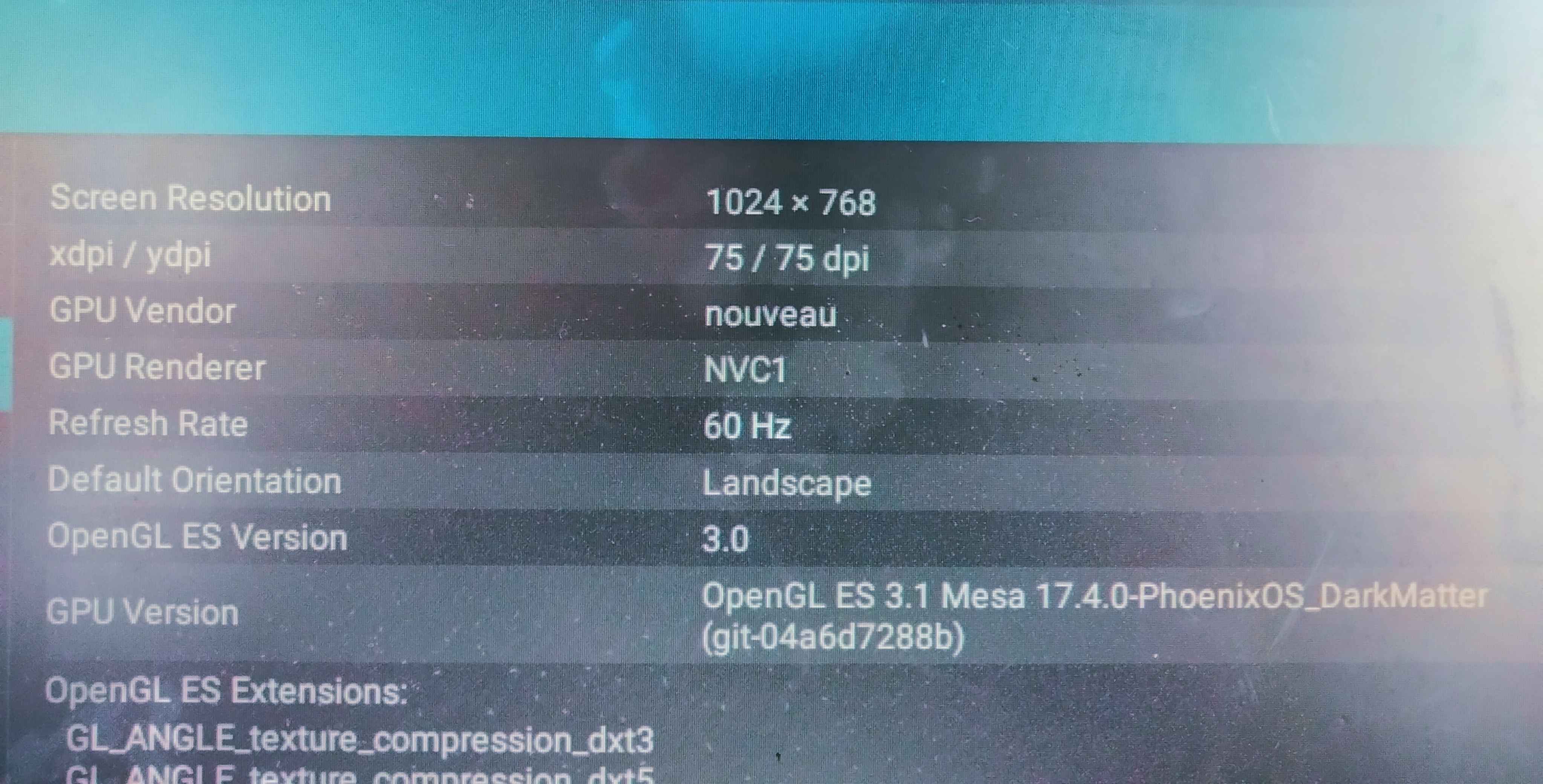
I have GT 530 2gb DDR3 and have Opengl 4.4. But i dont know what is the opengl es supported for my nvidia gpu. Here's what I got from Aida 64 app. Is my GPu support Opengl ES 3.0 or 3.1? :
it uses openGL ES 3.1 but the maximum your pc can use is 3.0.
Use Gltools if dont belive set Aida64 with setting openGL ES 3.0 and it will be show version 3.0 but only in Aida64.
If using openGL 3.1 it show but wont work it will be use openGL ES 3.0 maybe
[ after check ]
it uses openGL ES 3.0 but the maximum your pc can use is 3.1.
Use Gltools if dont belive set Aida64 with setting openGL ES 3.1 and it will be show version 3.1 but only in Aida64
it uses openGL ES 3.0 but the maximum your pc can use is 3.1.
Use Gltools if dont belive set Aida64 with setting openGL ES 3.1 and it will be show version 3.1 but only in Aida64.
that which is shown by 64bit app and other similer apps are whats has been wrote in the build.prop file in the system folder
/system/build.prop
you can find the OpenGL version code wich is
{ ro.opengles.version=196609 }
the number 196609 refers to 3.1 if its shown 3.0 then the number will be 196608 so if your hardware support 3.2 you can just change it to 196610 and reboot to see that it has been changed .. but thats doesn't mean your hardware will support only 3.1 if that was the version in the build.prop because if your hardware support only up to 3.0 and you go and change the version in the build.prop to 3.1 or 3.2 it wont support it and it will just keep suporting 3.0 ..